
Monday, January 26, 2026
Message shortcuts: every action, one key away

Some of our users are saving up to 3 hours a week just with this feature. (That's not a guess, we tracked it!)
Volt already had keyboard shortcuts for navigating between chats and common actions. This update takes it further: every message action now has a shortcut. 😁
See new shortcuts for WhatsApp in action
Why this matters
WhatsApp on desktop forces you to use the mouse for almost everything. Want to reply? Mouse. Forward? Mouse. React? Mouse. Every time you reach for it, you break your flow.
When you're handling dozens of conversations throughout the day, those micro-interruptions stack up. You lose your rhythm, you lose context, and you slow down.
We kept hearing this from users who spend hours on WhatsApp for work. The keyboard shortcuts we already had helped with navigation, but once you were inside a conversation, you were back to clicking. That gap needed closing.
Every message action, one key press
Select any message and press a single key to act on it:
- M — Open the message menu
- E — Edit your message
- C — Copy message
- F — Forward message
- R — React with an emoji
- I — Message info
- P — Pin or unpin message
- S — Star or unstar message (new)
- H — Set a task from the message (new)
- Enter — Reply to message
- Shift + Enter — Reply privately
- Delete — Delete message
- Space — Open media or jump to the quoted message
Combo shortcuts
Some actions use modifier keys:
- ⌘ + Shift + M — Record audio
- ⌘ + Shift + R — Open reactions panel
- ⌘ + Shift + A — Attachments menu
- ⌘ + Shift + V — Voice to text
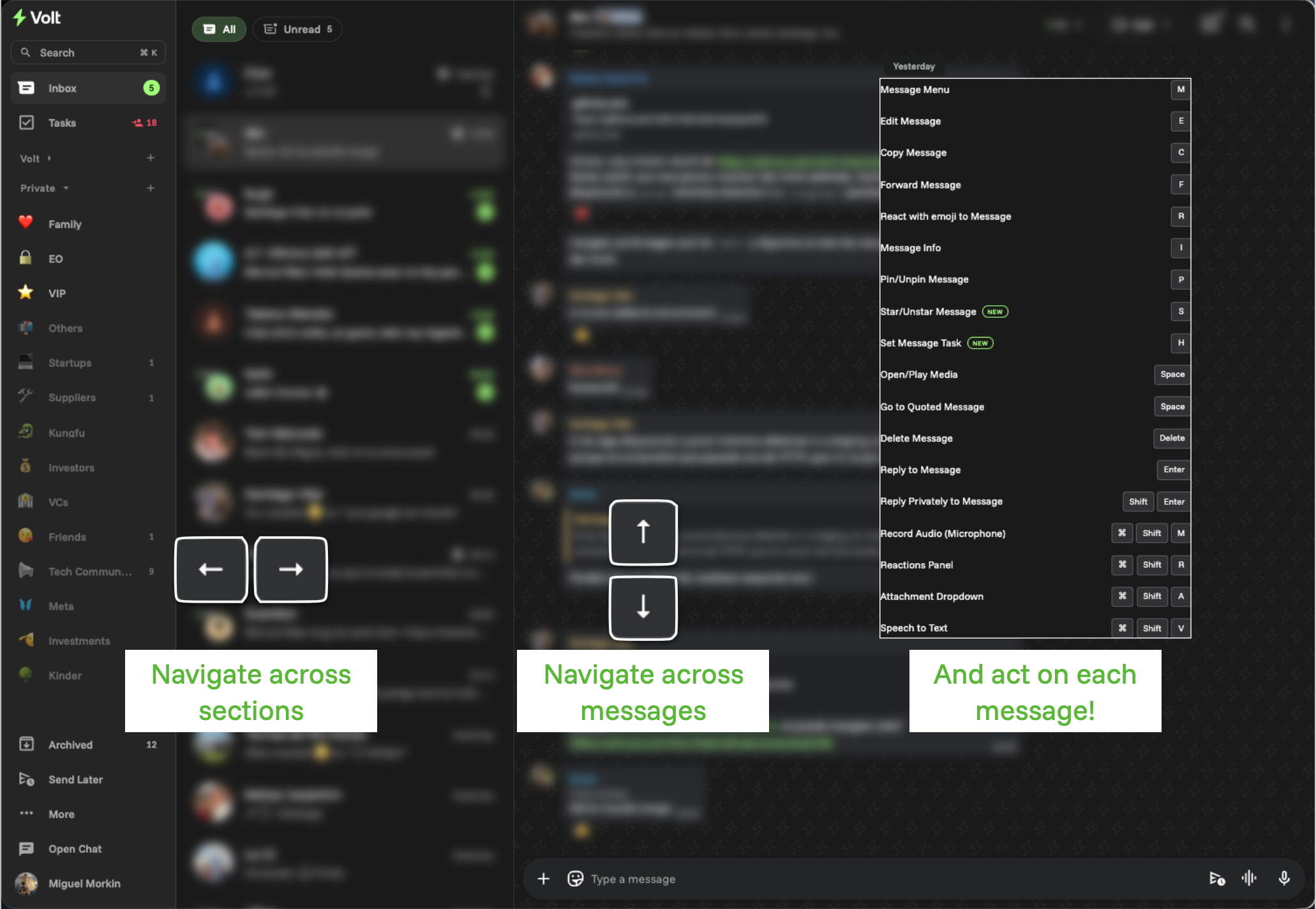
Now you can navigate inside/outside of a chat and on each message
It's about focus, not just speed
This isn't about saving three seconds per action. It's about staying in flow. No context switching, no reaching for the mouse. You can process hundreds of messages without losing your rhythm.
Combined with our navigation shortcuts, you can now move between chats, read, react, reply, and forward without your hands ever leaving the keyboard.