Adapting WhatsApp Lists to bring Icons to Volt users
You can now personalize your lists in Volt with emojis. A small UX idea that led us deep into Unicode land. From invisible characters to hidden binary encoding, we found a way to keep lists expressive when active and clean when archived.
 Santi
We’re excited to share a small but meaningful improvement in Volt: you can now personalize your lists with emoji icons. 🎉
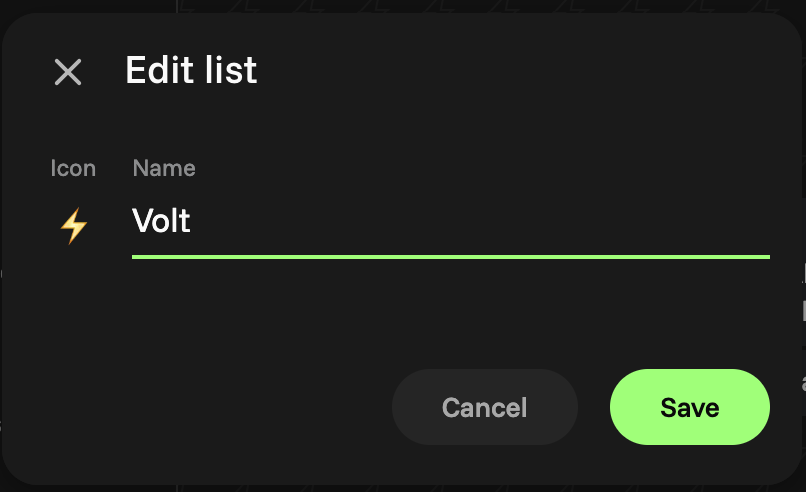
What started as a fun UX idea (helping users recognize and express their lists more easily), led us to explore some creative encoding techniques under the hood.
Encoding Emoji in List Names
To keep things simple, lightweight, and compatible across devices (especially with mobile WhatsApp), we decided to embed the emoji directly in the list name.
A special invisible character acts as a marker to indicate where the emoji begins, so Volt can render it correctly while WhatsApp can also render it in the native app.
// Simplified version of our code

const INVISIBLE_MARK = "\u200D"; // ZWJ, an invisible Unicode character

function encodeName(emoji, name) {
  return `${INVISIBLE_MARK}${emoji} ${name}`;
}

encodeName("⚡", "Volt users");
Hiding Emoji When a List Is Archived
When a list is archived, its emoji icon transforms into the 📥 (inbox) emoji. We didn't want to pollute the UI with multiple emojis.
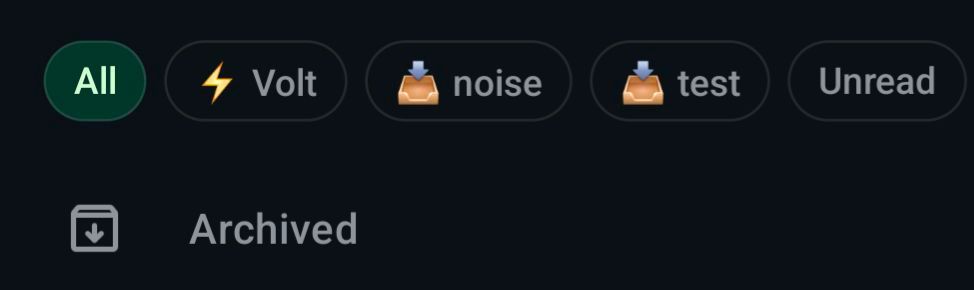
But here’s the trick: the original emoji isn’t gone. It’s just hidden, preserved invisibly using Unicode characters.
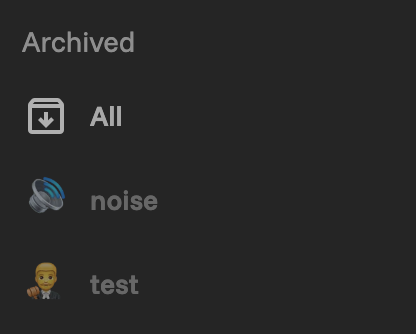
We use a binary encoding scheme:
\u200B(zero-width space) represents0\u200C(zero-width non-joiner) represents1
This lets us store and later recover the original emoji, while showing only the archive icon in the meantime. The result is a subtle but satisfying visual distinction between active and archived lists.
/**
 * Encode a Uint8Array (binary data) into an invisible string using the chosen base.
 */
function encodeBytes(bytes) {
  // Convert the byte array to a big integer represented as a string of digits in base‑BASE
  let value = 0n;
  for (const b of bytes) {
    value = (value << 8n) + BigInt(b);
  }

  // Extract digits in the chosen base
  let digits = [];
  while (value > 0n) {
    const rem = Number(value % BigInt(BASE));
    digits.push(digitToChar[rem]);
    value = value / BigInt(BASE);
  }

  // If the data is empty, return a single zero‑digit
  if (digits.length === 0) digits.push(digitToChar[0]);

  // The most‑significant digit should come first
  return digits.reverse().join("");
}
Bonus track: A ZWJ Surprise 🧩
During development, we ran into a tricky bug.
Initially, we used the Zero Width Joiner (ZWJ) as the invisible mark for signaling where the emoji icon starts. It worked fine, until we tested with emojis that also use ZWJ internally to create composite emojis (like family emojis or gender variants).
The result? Some icons broke apart and displayed incorrectly.
To fix this, we switched the invisible mark to the next invisible character, \u200E (Left-to-Right Mark), which safely indicates the emoji boundary without interfering with ZWJ-based emojis. It’s one of those subtle emoji lessons you only learn the hard way.
Why It Matters
Tiny design details like this make a big difference.
By showing an expressive emoji when a list is active, and a minimalist inbox icon when it’s archived, Volt feels more intuitive and emotionally responsive.
It’s a small touch.. But one that makes the experience feel more personal, polished, and alive!